
Kling 2.6 API Explained: Features, Pricing, and Why Teams Are Paying Attention

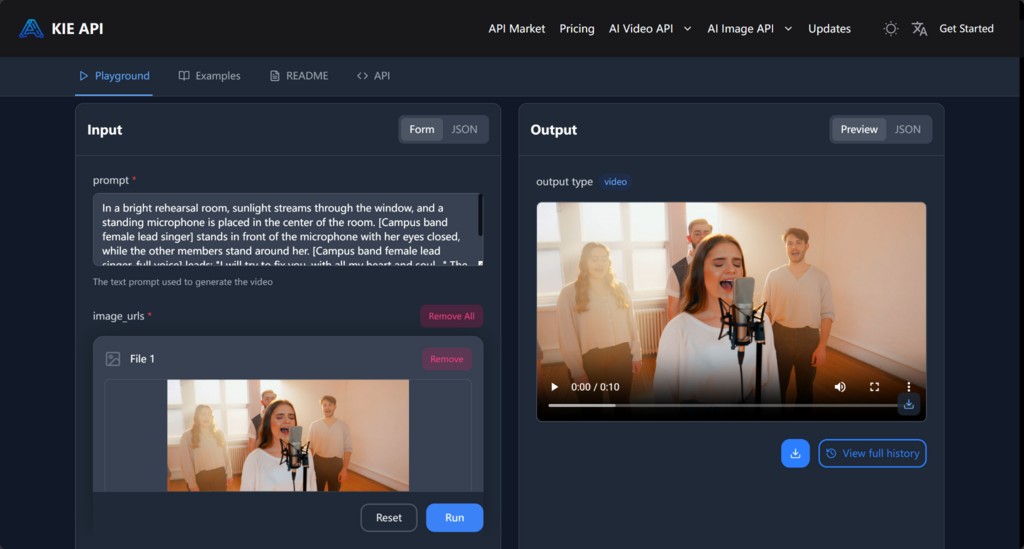
Attention around video generation infrastructure has changed. Teams used to focus on novelty first: could an API generate something visually impressive, and how surprising did the first result look? That is no longer enough. Developers, creators, and product teams now care more about whether a video API can fit a real workflow, whether pricing can be understood early, and whether the route from access to usable output is practical.
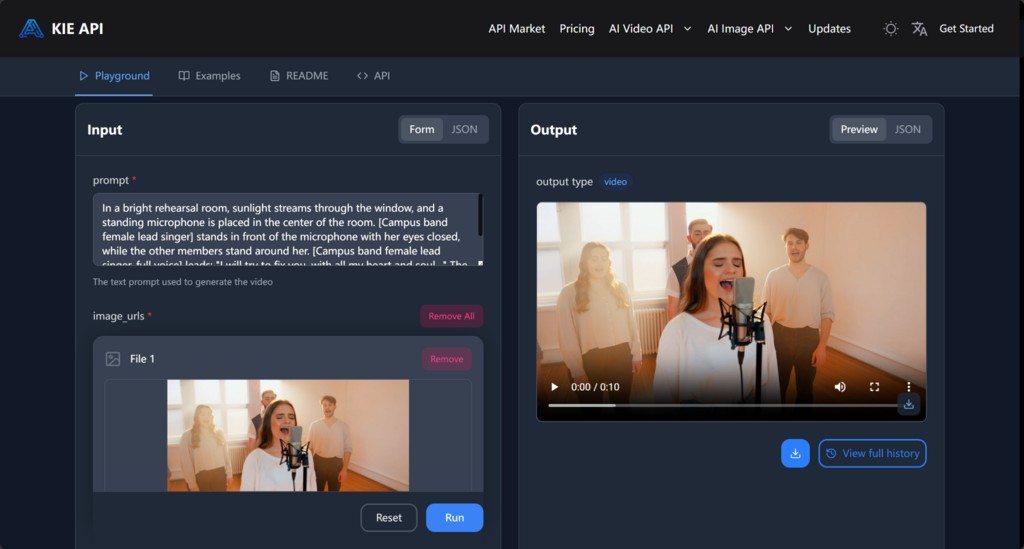
Kling 2.6 API Video Generation Platform
That shift explains why Kling 2.6 API is getting noticed. It is not only being evaluated as a video generation layer. It is being evaluated as something teams might actually adopt for repeated use, especially when speed, predictable cost, and practical output matter more than isolated demo value.
Attention Around Kling 2.6 API Is Growing for Practical Reasons
A lot of interest in video APIs now comes from teams that need more than a one-time experiment. Product teams want a usable output path. Creators want faster visual drafts without a heavy setup burden. Developers want an interface they can test and repeat. Those expectations create a different kind of market attention.
Kling 2.6 API lands directly inside that shift. It is relevant not because it entered the category late or early, but because it speaks to a practical question many teams are now asking: can this video generation API move from curiosity into repeatable work?
Video Generation Interest Has Shifted From Novelty to Usability
Teams are less impressed by raw possibilities than they were before. What matters now is whether a system is workable under normal conditions, not just whether it produces a strong first impression.
Kling 2.6 API Lands in the Middle of That Shift
Kling 2.6 draws attention because it sits between capability and accessibility. That balance is what many teams are trying to evaluate right now.
Kling 2.6 API Combines Text, Images, and Audio in a More Usable Way
A lot of APIs can generate output from prompts, but Kling 2.6 API gets more interesting once its input and output structure are considered together. Teams are not limited to one route. Prompt-led work is possible through Kling Text to Video API, while asset-driven workflows become more practical through Kling Image to Video API. That already makes the API easier to fit into more than one kind of use case.
Native audio pushes the workflow value further. Video generation becomes more useful when teams do not have to treat sound as a completely separate production problem. Synchronized speech, ambient sound, and motion timing matter because they reduce the distance between a generated clip and something a team can actually evaluate in context.
Kling Text to Video API Gives Teams a Straightforward Starting Point
When a workflow begins with prompts, scripts, or concept language, the text-led route is usually the fastest way to test whether the API fits the need.
Kling Image to Video API Makes Existing Assets More Useful
Teams that already have visuals, reference images, or brand material do not need to begin from zero. That makes asset-led testing more realistic in actual production settings.
Native Audio Gives Kling Video 2.6 API a More Practical Workflow Role
Audio is not just a bonus feature. It changes how teams think about output readiness, especially when a generated clip is being judged as part of a broader content or product workflow.
Kling 2.6 API Pricing Gets Attention Because Teams Need Predictable Costs
Cost becomes more important the moment teams move from “Can we try this?” to “Can we keep using this?” That is why Kling 2.6 API price matters more in repeat testing than in one isolated demo. A single successful output proves very little about long-term viability if the team cannot estimate what repeated use will cost.
Predictable pricing helps teams think more realistically. Developers want to know whether a backend experiment can scale. Creators want to know whether repeated visual drafting is sustainable. Product teams want to know whether video generation belongs in the operating budget or only in special projects.
Kling 2.6 API Price Matters More in Repeated Testing Than in One Demo
A single result may look affordable. Real workflow usage is what reveals whether the price structure is practical under normal volume.
Predictable Pricing Helps Teams Evaluate Workflow Fit More Realistically
Clearer cost understanding makes it easier to compare use cases, decide how frequently to generate, and avoid building around an unstable budget assumption.
Kling 2.6 API Documentation and Access Path Influence Early Adoption
Interest is easy. Adoption is harder. That transition often depends on details that seem small until a team actually tries to move forward. Access to a Kling 2.6 API key matters because it shapes the first testing experience. Kling 2.6 API documentation matters because it determines whether curiosity turns into a successful request or stops at the first sign of friction.
That is one reason access paths and docs deserve more attention in evaluation articles. Teams do not adopt an API because the feature list is readable. They adopt it because the path from first interest to first usable output is manageable.
Kling 2.6 API Key Access Shapes the First Testing Experience
The easier it is to move from interest to live testing, the more likely it is that teams will continue evaluating instead of dropping the process halfway.
Kling 2.6 API Documentation Matters Once Curiosity Turns Into Evaluation
Documentation does not only explain how to call an endpoint. It helps teams understand how quickly they can become productive after the first call.
Kling AI 2.6 API Feels More Relevant When Teams Need Practical Video Workflows
Not every team is looking for the same thing. Developers often care about integration simplicity, repeatability, and whether the interface fits real application logic. Creators usually care about how quickly ideas turn into visual results. Product teams care about how easily the API supports a broader process, such as launch material, content workflows, or prototype communication.
That is why Kling AI 2.6 API feels more relevant in practical workflows than in abstract discussion. Teams are not just evaluating features. They are evaluating fit.
Developers Look for Integration Simplicity and Repeatable Output
A video generation API becomes useful when the request flow is understandable enough to test and stable enough to repeat.
Creators and Product Teams Look for Faster Asset Production
Visual speed matters because content and product workflows lose momentum when draft assets take too long to appear.
What Draws Attention Is the Combination, Not One Feature Alone
No single capability fully explains the current attention around Kling 2.6 API. The stronger explanation is the combination of factors: text-led and asset-led workflows, native audio, clearer cost visibility, and an access path that teams can actually evaluate without unnecessary delay.
That combination is also what makes Kling AI API discussion more interesting now than simple feature comparisons. Teams are no longer asking only what an API can do. They are asking whether the overall package is usable enough to justify real workflow adoption.
Kling Video 2.6 API Sits at the Intersection of Access, Audio, and Workflow Value
Those three things together make the API easier to evaluate in practical terms rather than as a category label.
Kling AI API Attention Reflects a Broader Shift in Team Expectations
Teams want systems they can budget, test, and use repeatedly. That expectation now shapes how video APIs are judged.
Kling 2.6 API Beyond the Feature List
The most useful way to understand Kling Video 2.6 API is to look past individual capabilities and consider what the full package makes possible for teams. Text-to-video, image-to-video, native audio, accessible pricing logic, and a workable access path together create something more meaningful than a single feature upgrade. For developers, creators, and product teams, that is the real reason it is worth serious attention. The question is no longer whether video generation is impressive. The question is which APIs can actually become part of real work.
Frequently Asked Questions (FAQs)
1. What is Kling 2.6 API?
Kling 2.6 API is a video generation API designed to help developers, creators, and product teams generate videos using text prompts, images, and audio inputs. It is used for workflow-based video creation, testing, and content generation across different production and application environments.
2. What is Kling Text to Video API?
Kling Text to Video API allows users to generate videos using written prompts or scripts. This workflow is commonly used for concept testing, visual drafts, and content experiments where teams want to create video output directly from text-based instructions.
3. What is Kling Image to Video API?
Kling Image to Video API enables users to create videos using existing images or visual assets. This approach may help teams work with brand materials, reference visuals, or design concepts without starting the video generation process entirely from scratch.
4. Does Kling 2.6 API support audio generation?
Yes, Kling 2.6 API includes native audio support as part of the video generation workflow. Features may include synchronized speech, ambient sound, and timing alignment between visuals and audio elements, depending on the use case and implementation setup.
5. Why does Kling 2.6 API pricing matter to teams?
Pricing becomes important when teams move from testing to regular usage. Developers and product teams often evaluate whether ongoing video generation costs fit operational budgets. Predictable pricing structures may help businesses estimate long-term workflow and production expenses more accurately.
6. What is a Kling 2.6 API key used for?
A Kling 2.6 API key is typically required to access the platform and authenticate requests. It allows developers to connect applications, test endpoints, and manage API usage within development or production environments during workflow integration and evaluation.
7. Why is API documentation important for video generation platforms?
API documentation helps developers understand how to make requests, configure inputs, and handle outputs correctly. Clear documentation can reduce setup friction, improve testing efficiency, and help teams evaluate whether a video API fits their technical workflow requirements.
8. Who uses Kling AI 2.6 API?
Kling AI 2.6 API may be used by developers, creators, marketers, and product teams. Different users may focus on different goals, such as prototype visuals, content drafts, workflow automation, or integration into larger applications and production systems.
9. What makes video generation APIs useful for workflows?
Video generation APIs become more useful when they support repeatable workflows rather than one-time experiments. Features such as text-to-video, image-to-video, audio support, predictable pricing, and manageable integration paths may help teams use generated content more consistently in production environments.
10. Why are teams paying attention to Kling Video 2.6 API?
Teams are evaluating Kling Video 2.6 API because it combines multiple workflow features in one platform, including video generation, audio support, and flexible input methods. Interest also relates to practical factors such as usability, testing access, documentation quality, and repeatable production workflows.