BOOX Releases Firmware V4.2 with EinkWise, Calendar Sync and Better Handwriting

New York, United States, 4th May 2026 – BOOX has released Firmware V4.2, the latest system update for BOOX ePaper tablets. The release focuses on practical improvements across three everyday areas: how the screen behaves in different third-party apps, how planning works when you rely on multiple calendars, and how long-form handwriting and reading workflows feel over time.
BOOX Firmware V4.2 Features
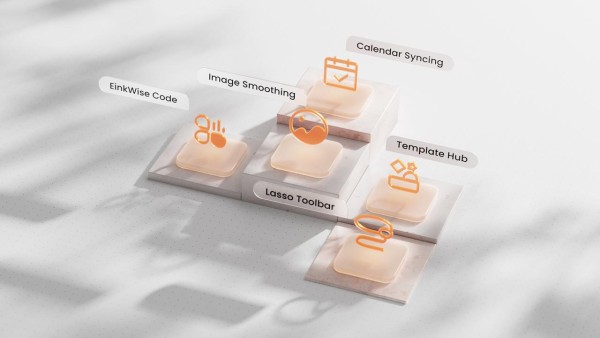
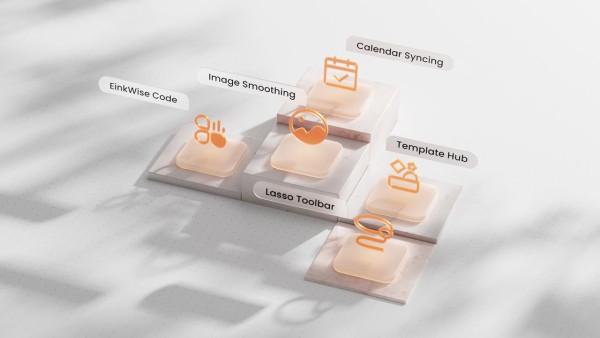
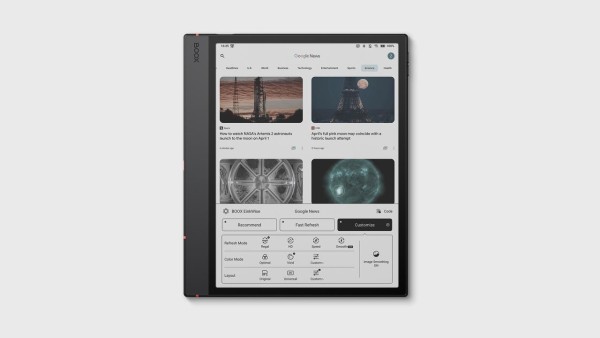
A faster way to get the screen “just right” Every app looks a little different on ePaper, and getting comfortable settings often takes trial and error. With Firmware V4.2, BOOX adds EinkWise Code, a preset system that lets users apply a proven combination of refresh and display parameters in one step. Codes can be shared, so teams and communities can standardize settings for the third-party apps they use most.
BOOX Firmware V4.2 also improves visual handling for graphics and scanned content with Image Smoothing. When the device is running HD or Regal refresh mode, Image Smoothing can be switched on in EinkWise. The same option is available inside NeoReader for documents such as PDF, EPUB, and MOBI.
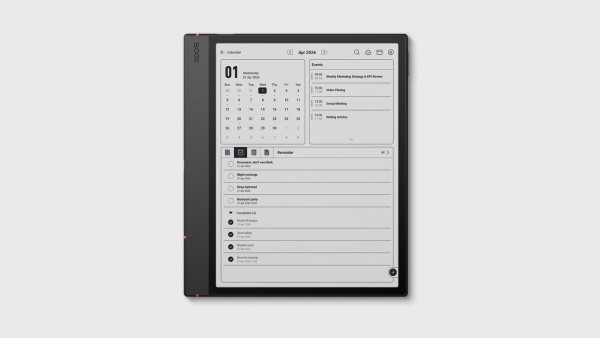
Planning that matches how people actually use calendars. Many users split their schedule across services. Firmware V4.2 expands Calendar Memo so it can pull in calendars from Google Calendar, Outlook, and CalDAV, then surface them in one place under Events. After signing in, changes made on the BOOX device can sync back to the original calendar source. To reduce the distance between “writing it down” and “putting it on the calendar,” Firmware V4.2 adds a shortcut from handwritten notes. Select content with the Lasso tool and convert it into an event or reminder, so handwritten ideas can become scheduled tasks without retyping.
Handwriting Tools Built For Longer Sessions
For users who take extensive handwritten notes, BOOX Firmware V4.2 introduces two upgrades aimed at reducing friction.
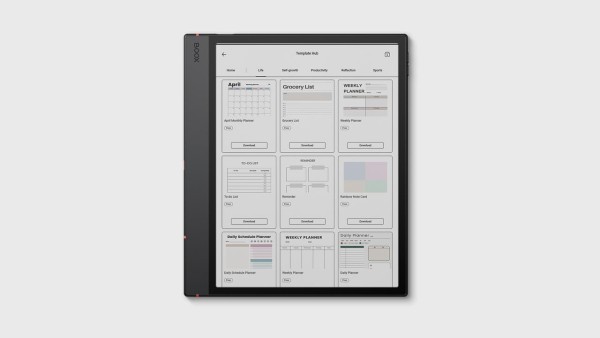
- Template Hub: download templates to match different note styles and use cases.
- Scroll Layout: write on a continuously extending vertical canvas instead of splitting thoughts across multiple pages. This format is well suited for long-form writing, large diagrams, and long screenshots.
Firmware V4.2 also refines core writing interactions. Users can adjust Pen brush pressure sensitivity, the Eraser is easier to see, and the system can return to the previously used writing tool after erasing. The Lasso workflow has been expanded as well, with support for moving selections between layers and setting whether the tool switches back to the brush after a selection. Selections remain active while dragging or zooming.
Additional updates
The AI Assistant in NeoReader now supports questions based not only on highlighted text, but also on vector graphics and stylus-circled regions, returning responses intended to provide context and references. The Notes app floating toolbar can also be repositioned and docked by pressing and dragging. Firmware V4.2 is rolling out in batches. Availability may vary by model and region, and devices may receive the update at different times.
About Onyx BOOX
BOOX is a global leading E Ink electronic brand of Onyx, specializing in E Ink tablets and monitors ranging from 6 to 13.3 inches. Designed to minimize eye strain and enhance productivity, BOOX caters to a diverse audience that includes professionals, academics, and individuals who aspire to more. BOOX combines E Ink with an Android operating system, providing its users with flexibility, cutting-edge hardware, and advanced software. More product info is available at https://shop.boox.com/.
Frequently Asked Questions (FAQs)
1. What is BOOX Firmware V4.2?
BOOX Firmware V4.2 is a software update for BOOX ePaper tablets that introduces changes to screen settings, handwriting tools, calendar integration, and document reading workflows. Availability may vary depending on device model and region.
2. What is EinkWise Code in BOOX Firmware V4.2?
EinkWise Code is a preset system that allows users to apply saved display and refresh settings for third-party apps in one step. Codes can also be shared between users for consistent viewing preferences across devices.
3. Does BOOX Firmware V4.2 support Google Calendar and Outlook sync?
Firmware V4.2 expands Calendar Memo support for Google Calendar, Outlook, and CalDAV services. After connecting an account, calendar changes made on the BOOX device may sync back to the original calendar platform.
4. Can handwritten notes be converted into calendar events on BOOX devices?
Users can select handwritten content with the Lasso tool and convert it into events or reminders inside Calendar Memo. Supported functionality may depend on device compatibility and update availability.
5. What is the Scroll Layout feature in BOOX Firmware V4.2?
Scroll Layout provides a continuously extending vertical writing canvas instead of dividing notes across separate pages. This format may be useful for long-form writing, diagrams, and extended note-taking sessions.
6. Does BOOX Firmware V4.2 improve handwriting tools?
Firmware V4.2 includes updates for handwriting workflows, including adjustable pen pressure sensitivity, improved eraser visibility, and expanded Lasso controls. Feature behavior may differ depending on device settings and app usage.
7. What is Template Hub on BOOX tablets?
Template Hub allows users to download note templates designed for different writing styles and productivity needs. Available templates and compatibility may vary by BOOX model and firmware version.
8. Does BOOX Firmware V4.2 improve PDF and scanned document viewing?
Firmware V4.2 adds Image Smoothing support for graphics and scanned content when using HD or Regal refresh modes. The feature is also available in NeoReader for formats such as PDF, EPUB, and MOBI.
9. How does the AI Assistant work in NeoReader?
The AI Assistant in NeoReader can respond to highlighted text, vector graphics, and stylus-circled regions within supported documents. Responses are intended to provide additional context and reference information during reading sessions.
10. When will BOOX Firmware V4.2 be available for devices?
BOOX states that Firmware V4.2 is rolling out in batches. Update timing may depend on device model, regional availability, and deployment schedules for specific BOOX products.
Company Details
Organization: Onyx International Inc
Contact Person: Arthur Li
Website: https://www.boox.com/
Email: Send Email
City: New York
Country: United States
Release Id: 04052644573