
How Dance Clips and Animated Photos Are Expanding Everyday Video Creation

Short-form video has changed what audiences expect from online images. A polished photograph may still perform well, but motion often earns the extra second of attention needed for a viewer to understand the subject.
How Dance Clips and Animated Photos Are Expanding Everyday Video Creation
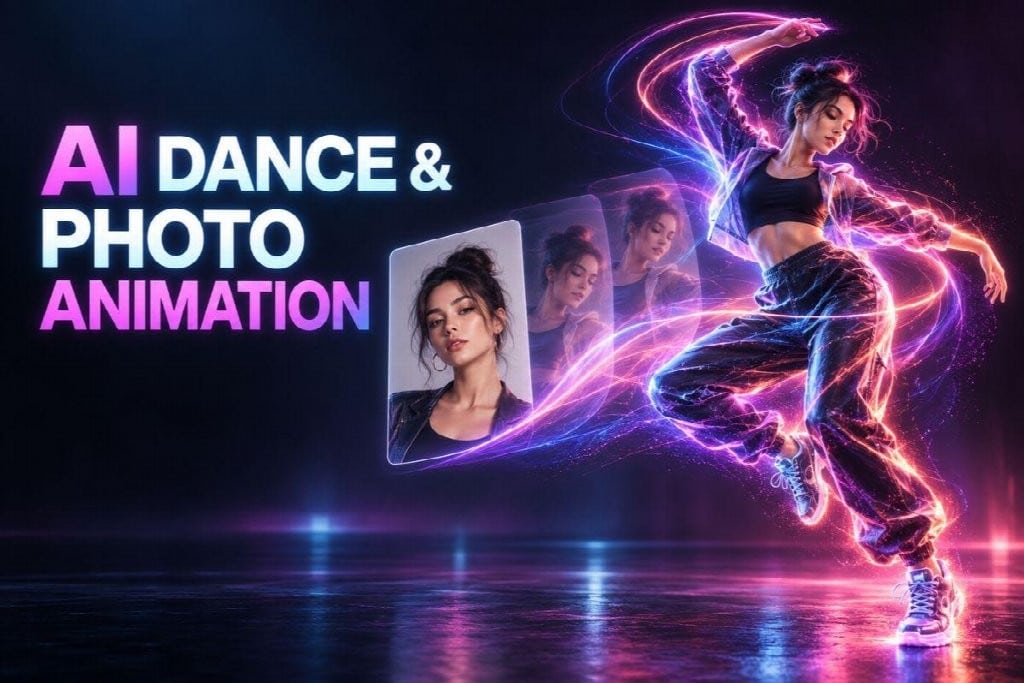
GoEnhance AI is an online platform that provides AI video generation, image animation, face editing, and other visual creation tools through a browser-based workflow. Among its possible uses, two are particularly accessible to people beginning with a single image: creating an AI dance video and adding restrained movement to a still photograph.
These formats may begin with the same kind of file, yet they are not interchangeable. Dance generation is built around performance. Photo animation is mainly concerned with preserving the original composition while introducing a little motion.
A Dance Clip Needs More Than a Face
A useful dance source image should show enough of the body for the requested action. A close portrait can establish facial identity, but it leaves the system to invent the torso, legs, and clothing. That creates more opportunities for proportions to shift.
Full-body images with visible hands and feet are generally better suited to dance-based movement. The subject also needs space around the body. Arms cannot extend naturally if the frame ends at the shoulders, and a spin may look cramped when the character stands close to one edge.
The background matters, although it should not compete for attention. A plain studio setting, an open outdoor area, or a simple illustrated environment gives the body a readable outline. Crowds and overlapping furniture can make it difficult to separate the performer from the scene.
Give the Performance a Point of View
“Make the character dance” leaves several creative decisions unresolved. Is the performance cheerful, polished, awkward, dramatic, or deliberately humorous? Does the camera stay still, follow the body, or move closer at the end?
A short direction can answer those questions without becoming overloaded:
A confident, lighthearted dance with smooth arm movements and two small steps. Keep the camera steady and preserve the character’s face, outfit, hairstyle, and proportions.
This describes a performance that can fit into a short clip. It also protects the visible details that make the character recognizable.
Creators working with an original illustration may have more freedom to exaggerate the movement. A branded mascot, by contrast, needs tighter consistency. Color, costume, and silhouette may be more important than the complexity of the dance.
Photo Animation Has a Quieter Job
A still image does not always need a performance. Sometimes the scene only needs a hint that time is passing.
A portrait can blink or shift its gaze. Steam can rise from a cup. Leaves can move behind a seated person. Light may travel slowly across a wall. These changes are small, yet they can make the image hold attention longer without replacing its original mood.
People searching to make photo animation online free should check the current generation limits, output options, and licensing terms before choosing a workflow for commercial use. Free access may be useful for testing an idea, while higher-quality exports or broader usage rights can depend on the plan available at the time.
A short preview is often enough to judge whether the idea works. If the face shifts or the background begins to drift, reduce the motion rather than adding more instructions.
Dance and Photo Animation Solve Different Problems
| Question | Dance workflow | Photo-animation workflow |
| What carries the clip? | The subject’s performance | The original image |
| What source works best? | Clear full-body character | Well-composed portrait, artwork, or scene |
| What usually goes wrong? | Distorted limbs or changing identity | Flicker or unwanted background movement |
| What should remain stable? | Face, body, clothing, character design | Composition, subject detail, color, lighting |
This distinction can guide campaign planning. A dance clip may suit a playful launch, character reveal, or social challenge. Photo animation is often a better fit for a portfolio, product feature, digital invitation, or reflective story.
Treat the First Result as a Draft
Generative video rarely benefits from accepting the first output without inspection. The initial version shows how the system has interpreted the image and prompt. It may reveal that the requested action is too large, the framing is too tight, or the background contains details that are difficult to preserve.
Review the clip once for overall feeling and again for accuracy. Pause at moments where the body turns or the camera changes direction. Check hands, facial features, clothing, product shapes, text, and straight background lines.
When revising, change one instruction at a time. A slower action may fix body distortion. A stationary camera can reduce background drift. Removing decorative adjectives may improve visual consistency.
Responsible Use Belongs in the Workflow
Images of real people should be used with their knowledge and consent. That applies even when the intended result is playful. Once a clip is shared publicly, it can travel without its original explanation.
AI-edited content should also be labeled when viewers could reasonably mistake it for an authentic recording. This is particularly important for public figures, news-related scenes, endorsements, and events that did not occur.
Commercial creators have another layer to check: the source-image rights and the platform’s current terms. Owning permission to animate a photograph is not always the same as owning every element visible inside it.
Choosing the Better Starting Point
The decision can be reduced to one question: should the viewer notice the action or the image?
Choose a dance workflow when the movement expresses the character’s personality and provides the main reason to watch. Choose photo animation when the source image already carries the message and needs only enough motion to hold attention.
Both approaches lower the technical barrier to short-form video, but neither removes the editorial work. A well-framed source, a restrained prompt, and an honest review remain more valuable than adding movement for its own sake.