
UPDF 2.5 Debuts on Product Hunt, Introducing AI-Powered PDF Workflows with Autonomous Agents

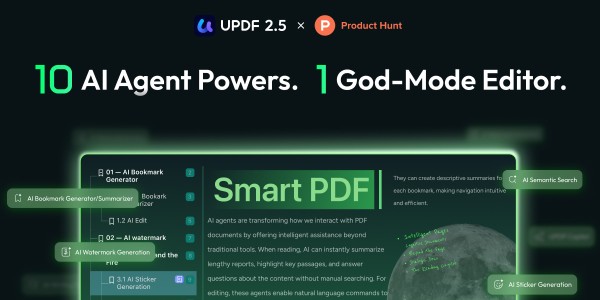
UPDF 2.5 has launched on Product Hunt, introducing autonomous AI agents to transform PDF workflows. With advanced AI capabilities such as intelligent summarization, semantic search, and automated document editing, UPDF enables users to manage and interact with documents more efficiently across all platforms.
UPDF 2.5 AI Update Launch
UPDF, the all-in-one PDF solution developed by Superace Software Technology, has officially launched version 2.5 on Product Hunt, marking a significant step forward in the evolution of AI-powered document tools. The latest update introduces a suite of autonomous AI agents designed to streamline complex document workflows and enhance productivity across industries.
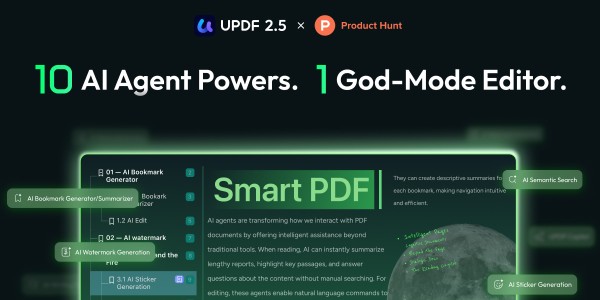
Advancing Document Workflows with AI
As artificial intelligence continues to reshape the way users interact with digital content, demand is growing for tools that go beyond traditional editing capabilities. UPDF 2.5 addresses this shift by embedding intelligent automation directly into the PDF experience.
The platform integrates advanced AI models, including GPT-5 and DeepSeek R1, enabling users to analyze, summarize, and interact with documents in a more intuitive and efficient way. By transforming static PDFs into dynamic, responsive workspaces, UPDF aims to reduce manual workload and simplify everyday document tasks.
Key AI Innovations in UPDF 2.5
The new release introduces a range of AI-powered features designed to improve both productivity and usability:
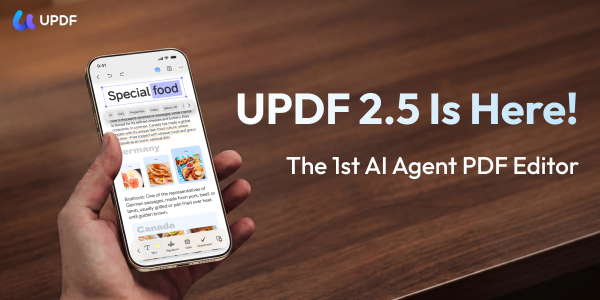
- AI Bookmark Generator & Summarizer
Automatically extracts document structure and highlights key insights from lengthy files. - AI Semantic Search
Enables context-aware search, allowing users to locate information beyond simple keyword matching. - AI Watermark & Stamp Creator
Simplifies the creation of customized document elements without manual configuration. - AI Sticker & Background Generator
Enhances document presentation with AI-generated visual elements. - AI Page Organizer
Detects and resolves document structure issues through automated optimization. - AI Edit PDF
Supports content creation and editing directly within PDF files. - UPDF Copilot (Tool Assistant)
Allows users to execute commands through natural language, improving workflow efficiency.
Comprehensive PDF Capabilities Across Devices
In addition to its AI-driven functionality, UPDF continues to offer a full suite of core PDF tools, including:
- Advanced editing of text, images, links, and tables
- High-accuracy file conversion to formats such as Word, Excel, and PowerPoint
- OCR technology for converting scanned documents into editable text
- Annotation and collaboration features for team-based workflows
- Cross-platform compatibility across Windows, Mac, iOS, and Android
With a unified account system, users can manage documents seamlessly across multiple devices, supporting productivity in both professional and personal environments.
Now Available on Product Hunt
UPDF 2.5 is now live on Product Hunt, where it is being introduced to a global audience of developers, creators, and technology enthusiasts. The launch highlights UPDF’s ongoing efforts to integrate artificial intelligence into document management and workflow automation.
About UPDF
UPDF is an all-in-one PDF editor developed by Superace Software Technology, designed to simplify and elevate document workflows for users worldwide. Available across Windows, Mac, iOS, and Android, UPDF offers editing, annotation, conversion, OCR, and AI-powered tools to meet the demands of modern professionals.
For more information, visit the UPDF official website or follow UPDF on YouTube, Facebook, Twitter, and Instagram for the latest updates.
Frequently Asked Questions (FAQs)
1. What is UPDF 2.5 and what updates were introduced in this version?
UPDF 2.5 is an updated PDF management tool developed by Superace Software Technology. It introduces AI-powered features, including autonomous agents that assist with document workflows. In addition, the update focuses on automation, document interaction, and improved usability across supported platforms.
2. How do AI agents work in UPDF 2.5?
AI agents in UPDF 2.5 automate tasks such as summarizing documents, organizing pages, and assisting with editing. They analyze document content and perform actions based on user input. Therefore, their effectiveness depends on document complexity and feature usage.
3. What AI features are included in UPDF 2.5?
UPDF 2.5 includes AI summarization, semantic search, automated editing, and content generation tools. In addition, it offers tools for bookmarks, watermarks, and document visuals. However, performance may vary depending on document structure and user needs.
4. How does semantic search function in UPDF 2.5?
Semantic search allows users to find information based on context instead of exact keywords. Therefore, it helps locate relevant sections more efficiently. However, results depend on how accurately the AI interprets content and queries.
5. Can UPDF 2.5 edit and create PDF content?
Yes, UPDF 2.5 supports editing and creating content within PDF files. Users can modify text, images, and other elements directly. In addition, the platform includes AI-assisted editing features. However, output quality depends on formatting and system performance.
6. What platforms support UPDF 2.5?
UPDF 2.5 runs on multiple platforms, including Windows, Mac, iOS, and Android. Users can access documents through a unified account system. In addition, cross-device performance may vary depending on compatibility and updates.
7. Does UPDF 2.5 include OCR functionality?
Yes, UPDF 2.5 includes OCR (Optical Character Recognition) technology. It converts scanned documents into editable text. However, accuracy depends on scan quality, language, and document clarity.
8. How does UPDF 2.5 improve document workflows?
The platform uses AI tools to automate tasks such as summarization, organization, and search. Therefore, it reduces manual effort. However, improvements depend on how users apply these features in their workflows.
9. Where was UPDF 2.5 launched and who is it intended for?
UPDF 2.5 launched on Product Hunt, a platform that showcases new technology products. It targets professionals, students, and teams who manage digital documents. However, adoption depends on user needs and familiarity with AI tools.
10. How can users access UPDF 2.5?
Users can access UPDF 2.5 through official platforms and app stores. In addition, availability may depend on device compatibility and regional access. Therefore, updates and new features may appear over time based on feedback and development plans.
Company Details
Organization: HONGKONG SUPERACE SOFTWARE TECHNOLOGY CO. , LIMITED
Contact Person: Taylor Pang
Website: https://updf.com/
Email: Send Email
Contact Number: +85213129579808
Address: FLAT A F15 GOLDFIELD IND
Address 2: BLDG 144-150 TAI LIN PAI ROAD KWAI CHUNG NT
City: Hongkong
State: Hongkong
Country: Hong Kong S.A.R.
Release Id: 03042643611