
UPDF iOS 2.5.2 Brings Direct Enterprise File Access to Mobile Devices

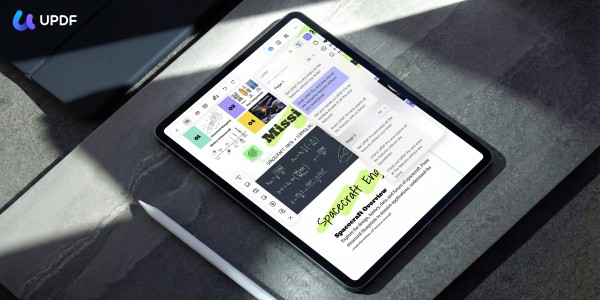
UPDF iOS 2.5.2 introduces direct access to enterprise file systems on mobile, enabling users to open and edit PDFs from company drives, NAS, and remote servers without downloads or extra tools. The update streamlines workflows, improves mobile productivity, and allows seamless access to the latest documents anytime, anywhere.
UPDF iOS Update Remote File Access
Hong Kong S.A.R., 24th Apr 2026 – UPDF, a leading innovator in digital document solutions under Superace Software Technology, today announced the release of UPDF iOS 2.5.2, introducing a major advancement in mobile productivity: direct access to enterprise and remote file storage systems.
With this update, UPDF enables users to open and work on PDFs stored in company shared drives, NAS devices, and remote servers directly from their iPhone or iPad—without downloading files, duplicating documents, or switching between multiple applications. This significantly reduces workflow friction and brings enterprise-grade file access directly into mobile environments.
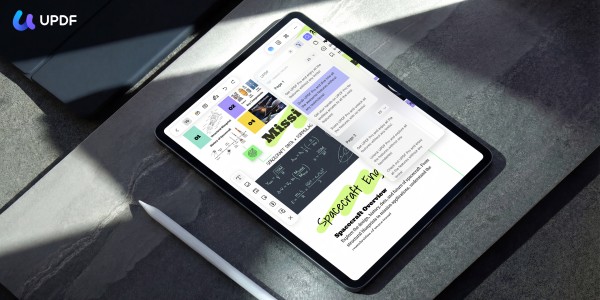
Seamless Access to Enterprise File Systems
UPDF iOS 2.5.2 is designed to integrate mobile devices more deeply into real-world enterprise workflows. Users can now connect directly to internal storage environments and remote file systems, including:
- Company shared drives
- Team file servers and repositories
- NAS storage systems
- Remote enterprise servers
Once connected, users can browse directories in real time and open PDFs instantly, ensuring smooth access to critical documents wherever they are stored.
This eliminates the traditional need to download files locally or rely on third-party file transfer tools, allowing users to interact with documents directly at the source.
Built for Modern Mobile Workflows
Today’s work environment is no longer tied to a desk. Professionals increasingly need immediate access to documents while traveling, working remotely, or moving between meetings. UPDF iOS 2.5.2 is designed to support these evolving needs by enabling:
- Instant document review on mobile devices
- Direct access to internal company resources
- Faster decision-making with real-time file availability
- Reduced dependence on file forwarding or local storage
For organizations, UPDF fits naturally into existing private file infrastructures, ensuring that sensitive documents remain within secure environments while still being easily accessible to authorized users.
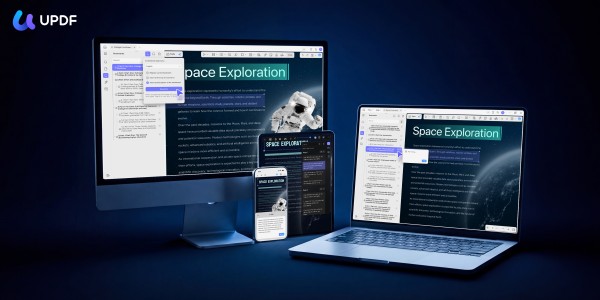
Strengthening Mobile Productivity for Enterprise Users
This release further positions UPDF as more than a PDF editor, evolving it into a comprehensive productivity solution for modern enterprise workflows. Key benefits include:
- Extended desktop-level file access to mobile devices
- Improved compatibility with enterprise storage environments
- Enhanced support for secure and private document systems
- A more connected and continuous cross-device experience
UPDF continues to bridge the gap between desktop and mobile productivity, empowering users to stay productive wherever their work takes them.
About UPDF
UPDF is an all-in-one PDF editor developed by Superace Software Technology, designed to simplify and enhance document workflows for users worldwide. Available across Windows, Mac, iOS, and Android, UPDF offers a comprehensive set of features including editing, annotation, conversion, OCR, and AI-powered tools.
For more information, visit the official UPDF website or follow UPDF on YouTube, Facebook, Twitter, and Instagram for the latest updates.
Frequently Asked Questions (FAQs)
1. What is UPDF iOS 2.5.2?
UPDF iOS 2.5.2 is an updated version of the UPDF mobile app. It introduces direct access to enterprise file systems. In addition, it lets users open and edit PDF files from company drives, NAS devices, and remote servers. Therefore, users do not need to download files locally.
2. What new feature does UPDF iOS 2.5.2 introduce?
The update adds direct connectivity to enterprise storage systems. As a result, users can browse and access files from shared drives and remote servers in real time. In addition, it reduces the need for file transfers or duplication.
3. Can users access company files without downloading them?
Yes, users can access files without downloading them. They can open and edit files directly from remote storage. Therefore, this reduces the need for local copies. In addition, it helps avoid duplicate file versions.
4. What types of storage systems are supported?
UPDF iOS 2.5.2 supports several storage systems. For example, it works with shared drives, NAS devices, team file servers, and enterprise servers. However, access depends on system setup and permissions.
5. Is UPDF suitable for enterprise environments?
UPDF supports enterprise workflows. It allows secure file access and works with internal storage systems. Therefore, organizations can use it for mobile document access. In addition, it fits teams that need shared file management.
6. How does this update improve mobile productivity?
The update improves productivity by giving direct file access. As a result, users do not need to switch between apps. In addition, they can review and edit documents faster. Therefore, it supports efficient work on the go.
7. Does UPDF support real-time file access?
Yes, UPDF supports real-time file access. Users can browse directories and open files directly. As a result, they always work on the latest versions. In addition, this improves workflow accuracy.
8. Can UPDF be used across different devices?
UPDF works across multiple devices. For example, it runs on iOS, Windows, Mac, and Android. Therefore, users can manage files on different platforms. In addition, this supports flexible work environments.
9. Does UPDF include features beyond PDF viewing?
Yes, UPDF includes many tools beyond viewing. For example, users can edit, annotate, convert, and use OCR. In addition, some versions include AI features. However, features may vary by platform and update.
10. Is remote file access secure in UPDF?
UPDF allows files to stay in their original storage systems. Therefore, users do not need to move files. In addition, security depends on system setup and permissions. As a result, organizations control access through their own infrastructure.
Company Details
Organization: HONGKONG SUPERACE SOFTWARE TECHNOLOGY CO. , LIMITED
Contact Person: Taylor Pang
Website: https://updf.com/
Email: Send Email
Contact Number: +85213129579808
Address: FLAT A F15 GOLDFIELD IND
Address 2: BLDG 144-150 TAI LIN PAI ROAD KWAI CHUNG NT
City: Hongkong
State: Hongkong
Country: Hong Kong S.A.R.
Release Id: 24042644361