
Depop and Whatnot Automation Features are Now Live on Sidekick Tools

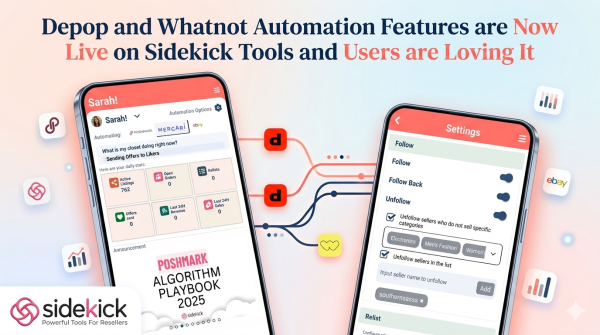
Sidekick Tools introduces Depop offer to likers (OTL) and Whatnot follow/unfollow features, to empower marketplace resellers and they’re loving it.
Reseller Automation Platform Update
Sidekick Tools (formerly Posh Sidekick), a marketplace automation and crosslisting app for resellers, has recently integrated new automation tools for Depop and Whatnot marketplaces, and it’s a hit among users. Sidekick Tools is already helping marketplace resellers with crosslisting, allowing them to list the same item across multiple marketplaces from one app to reach more buyers.
The app also automates routine tasks on marketplaces like sharing listings, sending offers to likers or buyers, relisting old items, and managing follow/unfollow activity to keep storefronts active and visible. The latest update integrates a suite of automation features specifically designed for resellers active on the Depop and Whatnot marketplaces.
These features are assisting online resellers in managing their daily storefront activities through automated offer systems and social engagement management. As the second-hand market continues to grow online, marketplace resellers are constantly on the lookout for automation tools to help manage the repetitive nature of listing and engagement. Sidekick Tools addresses these needs by providing a platform where resellers can pre-set their preferences for buyer interactions.
Depop Offer to Likers (OTL) Feature
The first major addition to the Sidekick Tools app is the Depop Offer to Likers (OTL) feature. This Depop automation tool allows Depop sellers to automate the process of sending discount offers to Depopers who have expressed interest in their items by “liking” them.
The Offer to Likers tool is designed with a high degree of customization to ensure sellers maintain control over their pricing strategies:
- Global and Individual Settings: Users can enable a toggle to activate automatic offers across their store. For items requiring a different approach, “Individual OTL” allows users to apply custom rules per item instead of using global settings.
- Tiered Discounting: The feature supports a “Listing Discount %” for the initial offer. If a previous offer is ignored or rejected, the system can be configured to send the next higher discount after 24 hours.
- Maximum Discount Limits: To protect margins, users can set a “Max Discount %” that the automation cannot exceed. This can be set globally or overridden for specific items.
- Smart Eligibility Filters: Sellers can set “Min Item Age for Offer” to ensure only listings of a certain age receive offers. Additionally, the “Min Likers for Offer” filter ensures offers are only sent once an item reaches a specific number of likes on Depop.
- Inventory Management: The feature includes an item list where users can search for items in real-time, sort by newest listings, and use long-press actions to start multi-selections for custom rule application.
The Sidekick Tools app also maintains a Depop Activities log, which provides a digital history of sent offers. Each record includes the item image, listing details, number of likers, listing price, offer price, discount percentage sent, and the specific time the offer was sent.
Whatnot Follow/Follow Back/Unfollow Feature
In addition to the Depop OTL feature, Sidekick Tools has also added automation tools for Whatnot. These features are intended to help Whatnot sellers manage their follower base and increase visibility within the platform’s ecosystem.
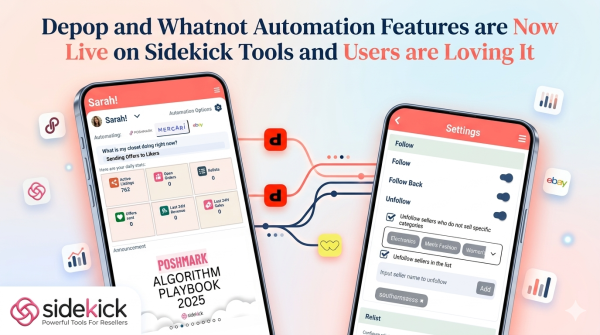
The Whatnot integration includes three primary functions:
- Follow Automation: When enabled, this feature follows Whatnot sellers from the “For You” tab on the user’s account. The Sidekick Tools app can follow up to 200 sellers per day on Whatnot.
- Follow Back: This feature allows users to automatically reciprocate follows from other users who have followed their profile.
- Unfollow Management: This feature offers two distinct options for managing following lists. “Unfollow by Categories” allows the Sidekick Tools app to unfollow sellers who do not sell in selected categories, such as Electronics, Men’s Fashion, or Women’s Fashion. Alternatively, “Unfollow by Blocklist” allows users to input specific seller names to be removed from their Whatnot follow list.
The new features are integrated into the existing Sidekick Tools app within the “Automation” tab. There is a simple toggle and input system that allows Sidekick Tools users to enable these newly added features conveniently.
About Sidekick Tools
Sidekick Tools (formerly Posh Sidekick) is a marketplace automation and crosslisting app that helps resellers in managing and scaling their businesses by putting repetitive tasks on “autopilot.” By offering automation tools for tasks such as sharing, relisting, crosslisting, sending offers to likers/buyers, and following/unfollowing, Sidekick Tools helps resellers save their time and increase efficiency.
Important Disclosures:
Sidekick Tools is a digital product; no physical items will be shipped upon subscription or use. The mentioned features are only to assist resellers with the management of their marketplace accounts. Sidekick Tools does not guarantee any sales results, income increases, or account growth. Success in reselling depends on various factors, including market demand, item quality, and individual seller effort. Readers are encouraged to use these tools in accordance with the terms of service of the respective marketplaces (Depop and Whatnot).
Frequently Asked Questions (FAQs)
1. What is Sidekick Tools?
Sidekick Tools is a marketplace automation and crosslisting platform for online resellers. In addition, the app helps users manage repeated marketplace tasks such as sharing listings, relisting products, sending offers, crosslisting inventory, and managing follow or unfollow actions across supported selling platforms like Depop and Whatnot.
2. What new features were added to Sidekick Tools?
Sidekick Tools recently added new automation features for Depop and Whatnot. For example, these include a Depop Offer to Likers (OTL) system and Whatnot follow, follow back, and unfollow management tools. As a result, the update helps marketplace resellers handle engagement activities and daily store tasks more efficiently.
3. What is the Depop Offer to Likers (OTL) feature?
The Depop Offer to Likers feature is an automation tool that sends discount offers automatically to users who like listings on Depop. Sellers set up settings such as discount percentages, item rules, timing intervals, and maximum discount limits inside the Sidekick Tools platform.
4. Can sellers customize Depop offer settings in Sidekick Tools?
Yes, sellers can fully customize offer settings in Sidekick Tools. For instance, they can set discount percentages, define minimum item age requirements, choose the minimum number of likers before an offer goes out, and set maximum discount limits. In addition, they can apply these settings globally or for specific listings.
5. What does the Depop Activities log track?
The Depop Activities log tracks all automated offers sent through the platform. It shows details such as item images, listing information, number of likers, listing price, offer price, discount percentage, and the time the offer was sent. As a result, users can easily review their automation history.
6. What Whatnot automation tools are included in the update?
The Whatnot update adds follow automation, follow back automation, and unfollow tools. In addition, these features help users manage seller engagement on Whatnot by automating follower actions through the Sidekick Tools settings.
7. How does the Whatnot follow automation feature work?
The Whatnot follow automation feature follows sellers from the “For You” section of a user’s Whatnot account. According to the article, the Sidekick Tools app can follow up to 200 sellers per day. However, this limit may change based on app settings and marketplace conditions.
8. What is the purpose of the Whatnot unfollow feature?
The Whatnot unfollow feature helps users manage their following list by removing selected accounts. For example, users can unfollow sellers based on categories. In addition, they can use a custom blocklist to add usernames for automatic unfollow actions inside the platform.
9. Does Sidekick Tools guarantee sales or account growth?
No, the company clearly states that Sidekick Tools does not guarantee sales, income growth, or follower growth. Instead, marketplace success depends on product demand, seller activity, pricing strategies, and overall market conditions.
10. Where are the new automation features located in the app?
The new Depop and Whatnot automation tools are available inside the Sidekick Tools app under the “Automation” tab. Users can turn on and set up these features using toggle switches and input settings inside the app interface.
Company Details
Organization: Sidekick Tools
Contact Person: Michael Chierchio
Website: https://poshsidekick.com/
Email: contact@poshsidekick.com
City: New York
Country: United States
Release Id: 11052644360