
Wondershare Announces Guide to iOS System Repair Software and Recovery Options


Wondershare announces an informational guide explaining how iOS System Repair software works, the software-related problems it may address, and the differences between system repair and a full device restore. The guide covers startup failures, repeated restarts, unsuccessful operating system updates, and recovery processes, with attention to repair modes, potential data loss, and the limits of software-based intervention.
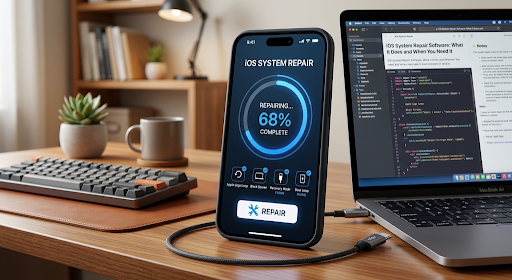
The guide distinguishes system repair from routine troubleshooting. A standard restart can clear temporary glitches but does not repair damaged system files. An operating system update installs a newer version that can address bugs, while recovery mode provides a computer-based route to updating or restoring a device that cannot start normally. System repair tools focus on repairing or reinstalling operating system files when simpler troubleshooting has not resolved a software problem.
Several sections address symptoms that can interrupt normal device operation. These include a device remaining on its startup logo, repeatedly restarting, becoming unresponsive, or failing to complete an operating system update. The material also covers devices that remain in recovery mode and certain errors encountered during updates or restores. These symptoms are presented as potential software-repair scenarios rather than confirmation that every affected device has the same underlying fault.
The explanation of the repair process centers on a connection between the affected device and a computer. Depending on the tool and selected mode, the process involves identifying appropriate firmware, obtaining and verifying the required files, and using that firmware to repair the operating system. The guide describes firmware handling as part of the repair workflow, alongside device recognition and the selection of a repair option.
A central comparison addresses the distinction between system repair and a full restore. A full restore erases personal data and settings and reinstalls the operating system. Some system repair modes are designed to preserve data while addressing supported software faults. The guide maintains that distinction throughout its discussion: data preservation is a feature of certain repair modes, not a characteristic shared by every repair process.
Wondershare’s Dr.Fone – System Repair (iOS) provides the product example within the guide. The software addresses supported device software issues through a computer-based process. The material describes repair options for startup-logo freezes, repeated restarts, black screens, failed updates, and other system problems. It also identifies errors 4013, 1110, and 9 among the errors covered by the product’s repair options.
The product discussion separates Standard Repair, Advanced Repair, and Anti-Recovery Mode by their stated purposes. Standard Repair is designed to address supported operating system issues while preserving personal data. Advanced Repair addresses more serious software problems but erases data. Anti-Recovery Mode supports secure data erasure. These distinctions make the consequences of the selected mode part of the guide’s explanation, rather than treating all repair options as interchangeable.
The accompanying workflow describes the sequence from opening the system repair function and connecting the device through firmware verification and repair completion. It explains that recovery mode forms part of the Standard Repair process and that the device remains connected to the computer while the repair runs. The workflow illustrates the process without presenting a repair outcome as certain.
Beyond individual repair steps, the guide identifies compatibility and clearly defined repair modes as factors that distinguish software tools. Its discussion includes support for the device model and operating system version, descriptions of standard and advanced options, firmware handling, and the treatment of personal data. It also addresses interface clarity, supported error categories, and the distinction between repair functionality and data recovery software, which focuses on retrieving lost or deleted files.
The guide’s scope also includes licensing and software limitations. Pricing, license duration, device restrictions, and return policies are identified as separate considerations from technical repair capabilities. This separates the explanation of what a tool does from the terms under which that tool is provided.
The closing discussion establishes a boundary for iOS System Repair software: software repair cannot resolve physical hardware damage. Battery failure, charging-port defects, and damaged internal components may require professional testing or component replacement. The guide therefore distinguishes operating system recovery from hardware diagnosis and repair.
About Wondershare
Wondershare develops Dr.Fone – System Repair (iOS), software for addressing supported operating system problems on mobile devices. The product includes repair modes with different data-handling consequences, including a standard mode designed to preserve personal data and an advanced mode that erases data.